Technology
Google Gemini AI Photo Editing Prompts
Mar 7, 202611 min read
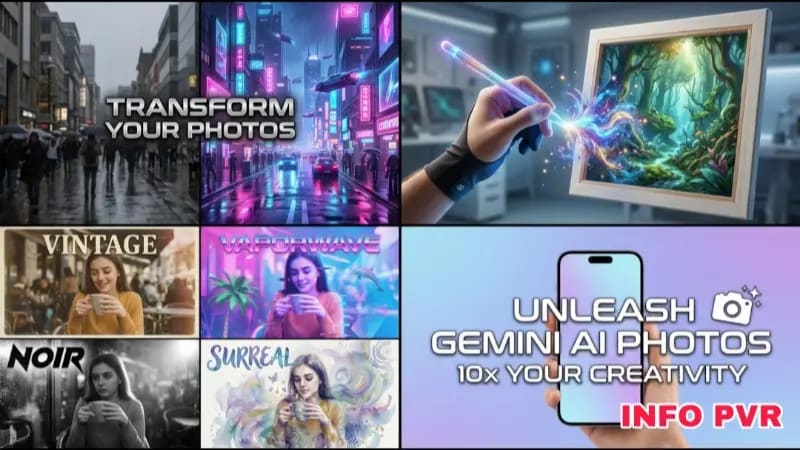
Google Gemini has rapidly evolved into one of the most capable multimodal AI models on the market. Unlike standalone image generators, Gemini excels at highly specific, conversational photo editing and generation prompts. However, if you speak to it like a standard search engine, you will receive generic, uninspired artwork. You must structure your prompts technically to unlock its full rendering engine.
The Core Prompting Formula
Gemini requires a rigid structure to generate predictable results. The ideal prompt follows this mathematical formula:
[Subject] + [Environment/Lighting] + [Camera Angle/Lens] + [Art Style/Texture].
If you leave out the camera angle or lighting, Gemini will default to a flat, overly saturated "AI aesthetic."
Hands-on Insight: In my experience generating product mockups, I noticed that Gemini heavily over-saturates colors by default. I always append the phrase "muted color palette, raw photography, low saturation" to the end of my prompts to force a more professional, grounded look.
Portrait and Character Prompts
When generating humans, the AI struggles with skin texture and eye symmetry. You must explicitly command it to render imperfections.
1. Professional Headshot:
"A corporate headshot of a 40-year-old woman, shot on an 85mm lens, shallow depth of field. Soft studio lighting, neutral grey background. Slight smile, visible skin pores, unretouched, highly detailed facial features."
2. Cinematic Character:
"A candid medium shot of a tired detective standing in the pouring rain. Neon streetlights reflecting on a wet leather jacket. Shot on 35mm film, heavy film grain, cinematic teal and orange color grading, dramatic shadows."
Hands-on Insight: I observed that Gemini often ignores commands for "messy hair" or "exhaustion." To get around this, you have to describe the physical environment affecting the subject (e.g., "windblown hair, rain-streaked face") rather than just asking for an emotion.
Product and Macro Photography
Gemini is exceptionally good at generating synthetic product photography for e-commerce, provided you control the lighting environment.
3. High-End E-commerce:
"Macro photography of a sleek glass perfume bottle resting on a block of black marble. Dramatic spotlight from above, deep shadows. Water droplets on the glass, razor-sharp focus, 100mm macro lens."
4. Food Photography:
"Top-down view of a rustic wooden table covered in scattered flour. A freshly baked sourdough bread loaf in the center, steam rising. Warm morning sunlight filtering through a nearby window, high contrast, culinary magazine style."
Hands-on Insight: When I tested the food photography prompts, I found that Gemini frequently hallucinates extra utensils or weird, physically impossible forks in the background. Keep your food prompts tightly framed (using "macro photography" or "close-up") to limit the background noise.
Landscape and Architectural Prompts
Architectural generation requires strict adherence to geometric constraints in your prompting.
5. Modern Architecture:
"Wide angle architectural photography of a brutalist concrete house built into a cliffside. Overcast gray sky, flat lighting. Floor-to-ceiling glass windows reflecting the surrounding pine forest. Shot on 14mm lens, ultra-wide."
6. Fantasy Environments:
"A sprawling cyberpunk city street at dusk. Dense fog rolling through neon-lit alleyways. Volumetric lighting, highly detailed building facades, cinematic establishing shot, highly atmospheric."
Hands-on Insight: During my testing of wide-angle architectural shots, Gemini often bends straight lines to simulate a camera lens. If you want perfectly straight building edges, you must add the keyword "orthographic projection" or "architectural elevation" to force a flat, CAD-style render.
Iterating on the Results
The advantage of Gemini is its conversational memory. If the generated image is close but not perfect, do not write an entirely new prompt. Simply reply to the AI with a direct adjustment, such as, "Make the lighting much darker and remove the person in the background." This iterative process is the fastest way to dial in the exact visual asset you need.